Workflow Automation
A workspace for users to automate their toughest tasks from end to end
At Gail, we weren’t the first to create a workflow builder, and certainly won’t be the last. But there’s a reason these tools are so popular and our users made it very clear they were interested after we launched a waitlist and were quickly flooded with signups and emails asking when it would be ready to use.
- Role
- Lead Product Designer
- Timeline
- Apr - Jun 2026
- Tools
- Codex, Claude Design, Figma
Business Background
After the successful launch of our conversational agent products, our customers were quickly becoming deeply integrated into the Gail ecosystem, but were looking for even further connection. Customer agents were conducting hundreds of conversations and sending tens of thousands of messages a day. Now customers wanted a way to more deeply integrate those conversations into their existing business logic and operation workflows.
Workflow Launchpad
With this dashboard, users can see their existing workflows, browse powerful templates, or speak conversationally with Gail to get started building their workflow.
An Intuitive Workspace
Both technical and non-technical users alike can easily get started creating their workflows with a simple builder, guides, and workspace shortcuts built in.
Node Interaction Design
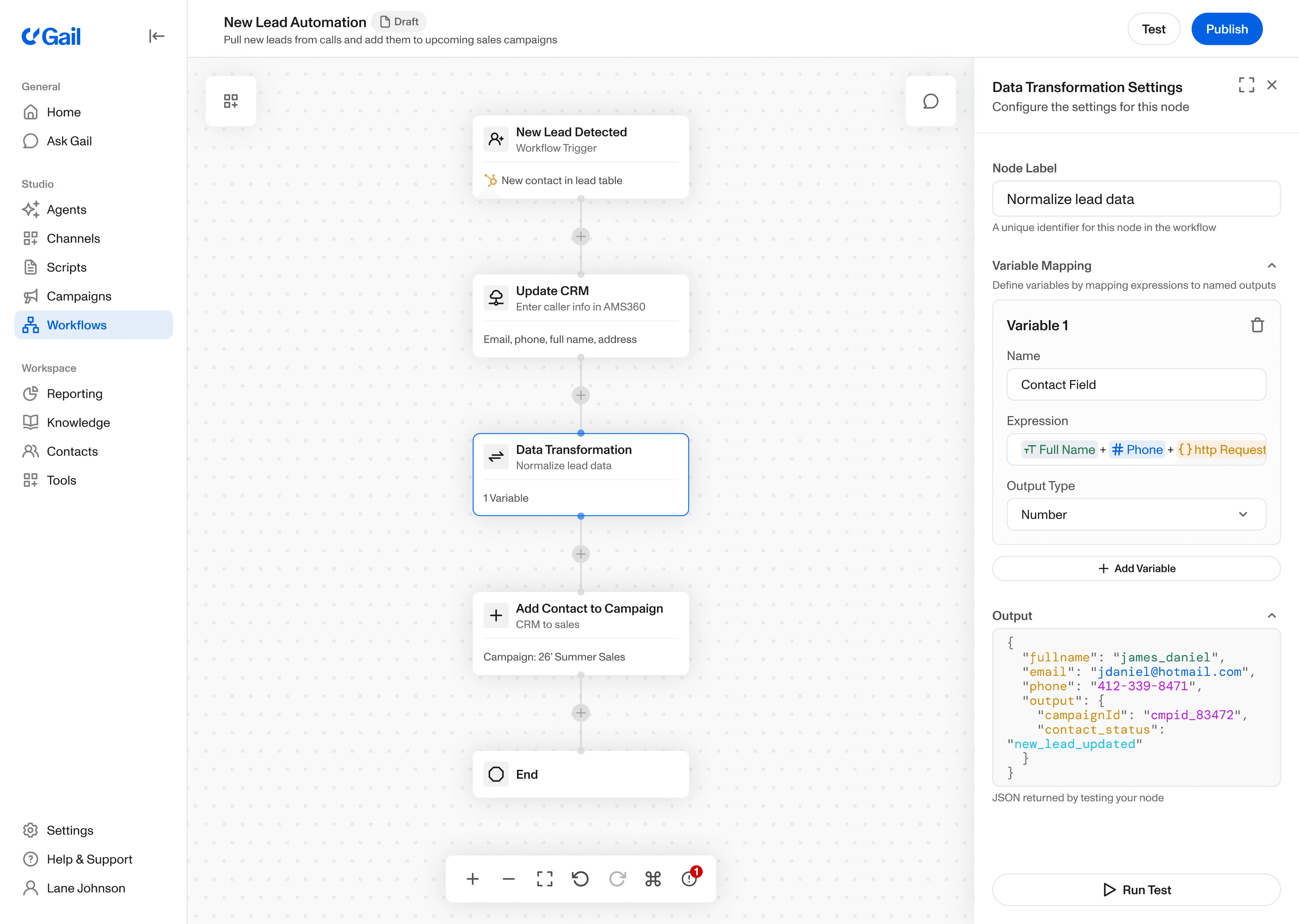
Nodes are the building blocks of every workflow no matter how simple or complex. For that reason, a lot of time and care went into designing the node components and how users interact with them. The results are simple, clean and intuitive.
Adding new nodes
Using nodes as variables
Node action menus
Drag and drop nodes
Building Workflows
Making the workflow builder simple was a key part of allowing for complex, automated experiences. Users can create workflows in a variety of ways from using AI recommendations, adding steps from grouped menus, or quickly adding frequently used nodes.
Node builder menus
Recommended steps
Error signaling
Quick-add nodes
Conversational Building
Workflows can be very complex, so we wanted to ensure that building them was simple. As seen below users can simply chat with Gail and describe what they’d like to build and Gail will do all the heavy lifting.
Powerful Customization
While non-technical users can easily build workflows, many of our top customers actually have very technical, power-users that are more than comfortable with getting in the weeds. We support both with a wide variety of simple and complex node capabilities.
Built-in Auditing
Before a user publishes a workflow, the system clearly flags potential issues that need to be addressed for a successful launch and makes taking action to correct these issues clear and simple.
Usage & Adoption
Initially before even starting a detailed design process for this project, we put out a waitlist asking customers who were interested, to signup for early access to the workflow tool. Because we were so quickly inundated with responses we put together a beta group test for idea validation and quick feedback cycles during the build process. Building alongside our customers allowed us to launch a product to the market that already had the quirks worked out and solved the right problems for our different customers and users across industries.
65.7%
Less user admin time
$294M
Late payments collected
32.6%
Higher lead conversion
A successful product launch of this magnitude is anything but a solo effort. While I was the sole designer, I had the privilege of collaborating with incredible engineers as well as technical customers who were willing to share their feedback along the way. For this project, I was able to rely on a vast amount of competitive research to help build an intuitive experience customers would feel familiar with from the get-go. For this project my time was split pretty evenly between Claude Design, Figma and Codex.
Back to ProjectsThanks for reading
Hope you enjoyed your stay